

// use cases
Validate dependency updates end to end with Devin
Review Superagent vulnerability updates, trigger Devin from the pull request webhook, and test the running application before merge.
Make every vulnerability update prove that the application still works. Superagent generates one security update per open Dependabot alert with the open-source Dependabot engine, scans each new package version for supply-chain attacks in an isolated sandbox, and reports whether the vulnerable code is used in the repository before opening its Superagent pull request. A publication event is not a policy approval: Devin and reviewers must also check the pull request's security results. Devin checks out that pull request, starts the application, runs its integration tests, and returns the result to the pull request.
Prerequisites
- A repository connected through the Superagent Security GitHub App, with Dependabot alerts: Read permission approved for vulnerability/all runs
- A Devin workspace connected to the repository
- Application setup, environment variables, and test commands configured in Devin
- A Devin Automation with an incoming webhook trigger
- A repository reviewer for the final merge decision
1. Enable vulnerability updates
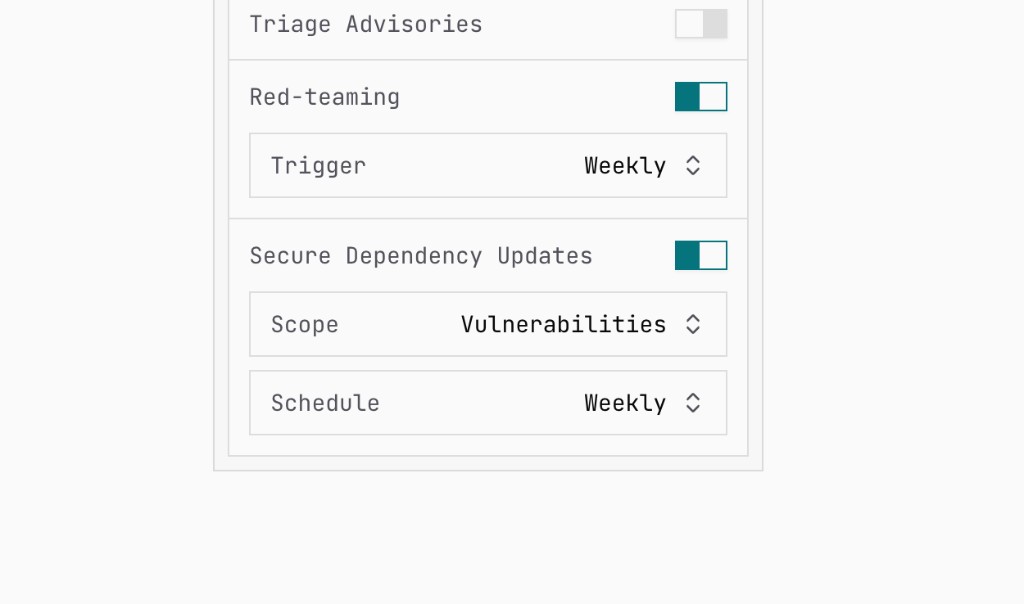
Open Repository, select the repository, and find Secure Dependency Updates in its settings.
- Turn on Secure Dependency Updates.
- Set Scope to Vulnerabilities.
- Choose a daily, weekly, or monthly schedule.
- Keep Supply Chain Scan enabled so the published pull request is checked again before merge.
On each scheduled run, Superagent:
- Reads open Dependabot alerts for every supported ecosystem.
- Runs the open-source Dependabot engine in an isolated sandbox to generate the same manifest and lockfile changes Dependabot would.
- Scans each new package version for supply-chain attacks before PR creation and records whether the vulnerable code is used in the repository. Usage is informational and does not block publication. Existing Superagent branches are refreshed in place. Normal PR webhooks independently assess published commits again before merge.
- Leaves the final merge decision to reviewers after security and Devin tests.
Updates flagged by the scan, or in ecosystems without a supply-chain scanner, are withheld rather than published. See Secure Dependency Updates for coverage and limitations.
2. Create the Devin Automation
In Devin, create an Automation with:
- An incoming Webhook trigger
- A Start session action
- The repository and application environment already configured
- Permission to read and update the dependency pull request
- No permission to merge without the normal repository controls
Copy the Automation webhook URL and its one-time webhook secret.
Use instructions like these for the Devin session:
3. Send published updates to Devin
Open Webhooks in Superagent and create a target:
- Enter the Devin Automation webhook URL.
- Add
X-Webhook-Secretas a custom header with Devin's webhook secret. - Subscribe only to
dependency_update.published. - Open Sources, expand Repositories, and select the exact repository.
- Save the webhook and send a test event.
Devin accepts the event body directly and appends it to the Start session prompt. The exact Repository source prevents dependency updates from unrelated repositories from starting this application test environment.
dependency_update.published is a publication notification, not confirmation that
security checks passed. When your integration receives it, verify that it identifies
an existing pull request before starting Devin. Do not start application tests
for failed runs that did not create a pull request.
4. Test the running application
When the webhook starts a session, Devin should:
- Open the repository and pull request from the event payload.
- Install the exact dependency graph committed by Superagent.
- Build and start the application in its configured environment.
- Run the full integration suite and critical browser or API flows.
- Add a focused compatibility fix only when the update caused the failure.
- Post the final result to the existing pull request.
Keep application secrets in Devin's environment. Use test services and test accounts for integration flows, and keep production deployment outside the Automation.
5. Keep merge approval human
Require the normal Supply Chain Scan, CI, and code review checks in branch protection. Devin validates whether the application still works; a repository reviewer decides whether and when the update merges.